Showing posts with label latest iTunes. Show all posts
Monday, 5 December 2011
Apple’s Grand Central Terminal Store Opening scheduled on this Friday....
Apple today dispatched its official Grand Central retail store page, officially revealing the 10:00 AM grand opening planned for this Friday, December 9th. The store’s usual hours will contain an early opening time of 7:00 AM on weekdays so as to accommodate commuters passing through the terminal.

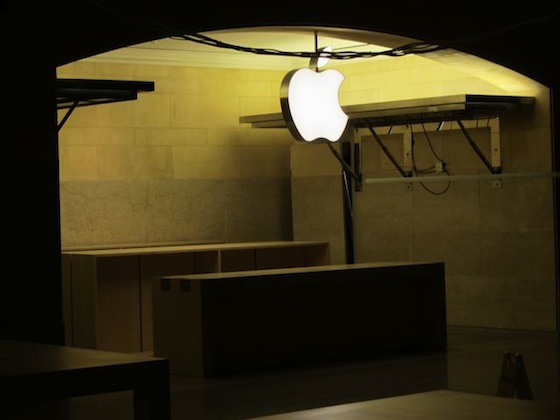
As per one of the Mac Rumors reader has passed along a few recent photos of the interior designing of the store, which shows that the Apple is still putting effort in the final finishing on the store’s build out with the typical wood tables that let customers to test out Apple’s products. One of the photo in that shows a close up view of the store’s Genius Bar, proclaiming the clear glass wall behind the bar that will deliver customers will a relatively clear view of the terminals’ stone walls behind.
Approximately Apple is paying $1.1 million per year in rent for outsized space, well below market rates for retail space in the terminal and the broader Manhattan real estate market. New York is investigating the deal’s terms, but the Metropolitan Transportation Authority asserts that it established the best possible terms for a difficult space.
Thursday, 20 October 2011
Data Transfer From Your Old iPhone to new iPhone 4S.
Bothered about how to transfer data from your old iPhone to iPhone 4S? Apple comes to your rescue by giving you updated information through a knowledge based article. The initial step would be to make sure that you have an updated version of the latest iTunes i.e. iTunes 10.5. If not download and install it. Your current iPhone can now be connected to iTunes and sync it. Verify the original iPhone back up. iClouds and iTunes can back up most of the data in your iDevice. Backed-up information includes TV shows, purchased music, apps and books, photos and videos in camera rolls etc.
Once iTunes is done with the restoration process for your iPhone 4S, you phone will restart.
Now the new iPhone appears on the iTunes window. Select it. Just scroll through the tabs and verify the items you need to sync.
Click apply to sync your iPhone to iTunes.
Verify all your e-mail accounts, photos, passwords, SMS and other private settings are available on your iPhone. You may have to reenter your email accounts and voice mail passwords. If you fail to recollect all these then the restore from backup has not been successful and you need to try it again.
This guide might also help u if u need to upgrade from an older iPhone to iPhone 3GS and iPhone 4 as well.


