

iPHONE 4S WITH THE SAME SHAPE, DIFFERENT BRAIN

The changes to the iPhone 4S are easy to document - the camera has been upgraded to 8MP (with an improved aperture ratio), the CPU is now the same dual-core A5 processor as seen in the i Pad 2, and a seven time increase in graphical processing power. Apple has slightly changed the design of the iPhone 4S somewhat though ...

APPLE PREPARING TO ERASE THE ITUNES MATCH BETA LIBRARIES ON SATURDAY

Apple has already notified its developers that they are going to erase the matched libraries of the iTunes Match service on Saturday. This erasing of the pre- release libraries is again being done related to the new release of iTunes match ....

iPHONE 4S-THE BEST SMARTPHONE SELLING IN THE WORLD

The new iPhone 4s has a new operating system - the iOS 5, a better camera, a new A5 processor, 1080 HD video with real-time video capability, a CMDA+GSM chip, Infinity Blade 2 and a download speed that is seven times better than the iPhone 4. As far as the quality of pictures from the iPhone's camera is concerned, the iPhone 4S does give one the luxury of ...

APPLE STARTS SELLING UNLOCKED IPHONE 4S IN US

Waiting to buy an iPhone 4S with no contract attached on it? Then it is great news for them who have been patiently waiting for unlocked phones. From November 12, 2011 onwards Apple US store is offering you the Contract-free, pristine new unlocked iPhone 4S’s...

21 TRICKS AND TIPS TO GET THE BEST FROM YOUR IPHONE

Got used to your new iPhone or still facing the intricacies in using it? Here is a list of 25 unique and quite interesting tips that are really going to be of great help in your journey ahead with your wonder phone. Well the list contains 21, but the functions seem to be endless, whether it’s making calls, watching a movie or surfing the net. After weeks of usage and a little bit of feature digging, the iPhone has come up with the following tips and tricks ...

Whats New in iPhone 4S

Showing posts with label App Review. Show all posts

Tuesday, 20 December 2011

Jelly Links HD –A Time-Killer game


Jelly Links HD is the iPad version of puzzle game from the Tharle Games. Apple’s iPad is the best device to play games either for kids, adults or old age people. None of the device can die out your boredom except this. Puzzle games are big fun to play in iPads. Jelly Links is a puzzle game with a back ground of Cloudy black and scattered jelly themes. It is a thrilling game which makes you to think twice to move the jelly. Look at this home screen above, it can speak about the colorful jelly app and its theme.

GamePlay
The gameplay of Jelly Links is pretty simple; make 3 or more jellies of same kind link together to make the Jellies disappear to get the score, swipe on the jelly which you want move in to the desired direction. You have twist your brain before you move the jelly keep on mind and get bigger advantage of eliminating more jellies. The more jellies you clear the more points you get. The game starts with empty outer source ring, as it fills up artificial intelligence come into picture to start moving jellies automatically. So be quick to think and move as fast as possible. Game ends if no more move possible, so keep on empty the board for at least one move to continue the game. 


Implementation
Leaderboard implemented using Game Center to list names and their score who will score more.

Features
  • Wonderful Graphics and colors
  • 4 modes of game play like Rush, Kids, Extreme and Crazy.
  • Increased challenges in each mode.
  • The game has been provided with 3 cheats such as
a.       Cheat 1: removes 1 row and 1 column of jellies
b.      Cheat 2: removes 3 rows and 3 columns of jellies
c.       Pause Cheat: Stop the automatic movement of jellies, so you get enough time to eliminate jellies and make board empty again.

Upshot
Jelly links HD is brain teasing game, recommend to people who feel bore all the day, with its challenging game play and many modes, levels gives the thrilling experience to everyone who enjoys the mind-puzzle games. It is a enjoyable game, improves your concentration.


Thursday, 15 December 2011

Google says you’ll be soon able to hangout from your iPhone on any Google+ post


Google’s Vic Gundotra just announced on his Google+ page a host of new Hangouts features meant to “go beyond the status update”. In short, you can now hangout on any post (an invitation will be added to the comments), call any phone number in the world and conference in anyone (free calling to US and Canada, international calling rates are “super, super low”), plus initiate a hangout session from the official Google+ iOS app by tapping the new hangout icon.

The executive also shared an interesting milestone for Hangouts on Air, saying “hundreds of people” white listed as part of their trial now have the ability to broadcast their hangouts to the world. “Our goal is to enable this for everyone on the planet”, Gundotra noted. You will also be able to automatically record Hangouts on Air session and upload it to a private YouTube account for later viewing. These features require a new Google+ app, “coming soon” to the App Store. The official Google blog has more information.

Shredder-iPad Synth for Guitar


SHREDDER, now available on the iTunes App Store. SHREDDER is a synthesizer/MIDI interface specially designed and developed for guitar players. It allows guitarists to play a true analog modeling synth by simply plugging in – no special pickups needed! SHEDDER’s synth engine is a powerful, fully configurable FM/Subtractive design including:
  • Dual oscillators 
  • Three custom-designed filters 
  • Three dedicated envelopes
  • Dual LFOs
  • Many more sonic features to empower the musician!

In addition, SHREDDER can also be used as a MIDI Out interface to control other Virtual MIDI compatible iOS devices, or hardware synths through a physical connection “SHREDDER is an amazing breakthrough for guitarists and all musicians,” says SHREDDER engineer and guitar veteran, James Yonac. “Now guitarists can get amazing synth sounds from their guitars without a special synth pickup and for a small fraction of the price of a hardware guitar synth.” SHREDDER reads guitar input through popular iPad guitar jack interfaces or from the iPad’s built in microphone. SHREDDER is available in the App Store for a limited-time introductory price of $5.99. The regular price of $14.99 will be effective starting January 14, 2012.
Yonac Software was founded in New York City in 2008. The company mainly focuses on the development of music and sound related software. In September 2008, Yonac released miniSynth, the first and most popular synthesizer available for the iPhone. Other bestselling
Yonac apps include miniSynth PRO, ORGAN+, Thereminator, and PitchBot.

Wednesday, 14 December 2011

Rockmate puts the whole music studio on one iPad screen


Experience the fun and melodies iPad game for the whole family, now enjoy playing music together in your iPad. Rockmate is an iPad app which turns your iPad into a complete music studio easy and super fun to use. You can compose record and play songs with up to 4 Rock players on one single iPad. Rockmate is easy to play with smart chords progressions, sounds great with separated guitar effects and in-house produced audio samples and is also fully customizable with multiple drums and keyboard styles. Rockmate is ready to rock ! Your guitars are always well tuned, no need to carry your drum kit or to patch your keyboard. A smart metronome and a real-time looper will assist you in composing and recording your songs. That you can share by email or in your iTunes sharing folder. We want as many people as possible to experience Rockmate. So we have decided to make Rockmate available for one week (From 14 to 21 December 2011) at the introductory price of $0.99. Regular price $3.99.

Microsoft releases Kinectimals for iOS, its first iPhone/iPad game


Microsoft over time released a couple of apps for the iOS platform, such as Windows Live Messenger and Bing for iPad. While its Office for iOS remains vapourware, the Windows maker last week released Xbox Live client for iPhone and today saw the arrival of Microsoft’s very first iOS game called Kinectimals. Available as a universal binary on both the iPhone and iPad for three bucks , Kinectimals invites you to “use your phone to visit the island of Lemuria and play with, care for and fall in love with your very own cub”.

This cutesy pet simulator is actually a port of the original Windows Phone release from two months ago, but it originally debuted on the Xbox 360. If you own an Xbox 360 and a copy of Kinectimals, you’ll be delighted to know that the iOS version lets you unlock five new cubs for the Xbox 360 version. The full blurb is right after the break.

This irresistible mobile experience gives you the chance to use your phone to visit the island of Lemuria and play with, care for and fall in love with your very own cub. Bring your pet with you wherever you go! If you’ve already experienced Kinectimals on Kinect for Xbox 360, your phone becomes the key to unlocking five new cubs on your console. Stand-alone mobile game features Kinectimals’ signature visual quality, delightful animation and brand new ways to play with your cub!


Monday, 12 December 2011

Use airplay to watch your iPhone’s camera live on apple TV


Want to check out the hair at the nape of your neck, see what the back of your throat looks like, or look behind places you can't fit your head? If you have an iPhone 4S and Apple TV you can setup Airplay mirroring so whatever your camera is recording is displayed on your TV in real time.
Mac enthusiast weblog TUAW shares this clever use of the new-to-iOS 5 feature. You can enable Airplay mirroring by double-clicking your iDevice's home button, swiping to the right twice, and selecting your Apple TV as your Airplay destination. Make sure that mirroring is turned on, then click on the home button and load your camera app.


Fun game: you are an orphan in search of your biological parents


Every week Mac games and more feature a fun, casual game you can play over the weekend. This week’s selection has you on a mission to investigate you past and search for the parents you never knew. Note: this game is for mature audience.

The keepers: Lost progeny (hidden objects) - your goal in this shocking and absorbing hidden objects game is to locate your real parents. In The Keepers: Lost progeny you have grown up as an orphan but when you find a mysterious photo of you with a town’s name written on the back side of it you start an adventure in search of your roots and your biological parents. Try to find them and explore the mysterious town, which will reveal a shocking story. Was it worth it? Do you think your parents are still alive? Why did they give you up? The answers in the keepers: lost progeny will surprise you.

Warning: Keepers: Lost progeny includes some graphic content and is intended for mature audiences.


Sunday, 11 December 2011

Under the bed new interactive, animated iPad app


Based on the original award winning short film, Under the Bed, an iPad app from Mighty Fudge Studios, is a hilarious twist on the everyday process of putting the kids to bed.

BOULDER, CO. – Mighty Fudge Studios recently completed animating their first iPad app for children, “Under the Bed” which is now available for download in the iTunes store for $2.99. The interactive app targeted to 5-12 year olds is based off of the award winning short film, “Under the Bed,” which stars the vocal talents of Maggie \”Maude Flanders\” Roswell (The Simpsons) and Hal \”The Predator\” Rayle. The “Under the Bed” short film has already taken home two awards; “Best Achievement in Humor” from the 2011 Animazing Spotlight in Burbank and “Best Animation” at the Detroit Windsor International Film Festival.

This is the studio\’s first foray into the wild world of Apps. \”We feel our content is perfect for the medium,\” said studio chief Patrick Mallek, \”Our extensive background in Saturday Morning style cartoons mixed with interactive online gaming made it an easy transition. This is finally a chance to bring our proprietary creative to the public without the B.S. of L.A. Apps and iPads are going to do to TV, Movies and Games what MP3s did to the music industry.

Mighty Fudge Studios plans to release several more Apps in 2012. Some based on existing creative properties and a few brand new ideas. “We see this as the next five years. We integrated iPads into our workflow last summer. All the storyboards for Under the Bed were done on an iPad, so it\’s only fitting that this was our first App.

“Under the Bed” was written and directed by Patrick Mallek and produced by Kimberly Mallek of Mighty Fudge Studios. “When you\’re young, there\’s a fine line between fantasy and reality, especially at bedtime on a dark and stormy night. For these three kids, with the willing help of some wily parents, that line is about to get very fuzzy.”

Mighty Fudge Studios is an award-winning design and animation studio located in Downtown Boulder, Colorado. Its iconic illustration and animation style is well known in the Boulder art scene. The studio has been locally owned and operated for over 10 years. Functioning as a full service creative studio, we specialize in animation, illustration, packaging, retail promotions, and now app development.

Mighty Fudge Studios has a diverse client base ranging from national film and media companies to giant retail chains, small natural food companies, and sustainable energy start-ups. The studio\’s award winning cartoons have screened at SXSW, Kid’s First, AniMazing, Animation Block Party, Spike & Mike and Boulder’s own BIFF. 


Saturday, 10 December 2011

Singing Santa HD for iPhone and iPad


Make Santa sing and dance with Singing Santa HD, a new holiday app from Khush. Available in iPhone and iPad versions, this app showcases the Khush (now part of Smule) voice recording and auto-tuning technology already on display in apps like Songify and LaDiDa. In Singing Santa’s case, you can create holiday videos and postcards to send to your friends and family. Although the app has crisp animation (Santa’s belly actually jiggles like a bowl full of jelly), and solid voice playback, it’s a little on the kitschy side and will mostly appeal to kids.

Singing Santa HD stars—you guessed it—an animated tricked-out Santa Claus, outfitted in shutter-shades and a Khush ball cap. Tap the Record button, and Santa holds out his microphone to capture a voice recording. Say or sing whatever you want, presumably a holiday greeting or song lyric, and the app will auto-tune your voice and set it to music. Santa then sings the recording back to you, complete with disco-ball effects and dance moves.

The app has ten classic Christmas songs to choose from as your recording track, like Deck the Halls, 12 Days of Christmas, and Jingle Bells (not to be confused with Jingle Bellz—a Singing Santa exclusive hip hop remix). The auto-tune plays back loud and clear, and is pretty comical: Your words are kept intact and the messages are easy to understand through the robotic voice. The auto-tune feature also attempts to match your voice to the tune of the selected song, but this feature works well with some songs than others. And unless you time your recordings perfectly, the rhythm of the auto-tuned message won’t align well with the instrumental track.


Thursday, 8 December 2011

Apple Trap-Strategic game to trap the Lonely Green Apple


Rather than amusing, do some games complicate you with its confusing procedures of playing? You might keep searching for the distinctive methods of playing a game, but finally end up gaining nothing as the game completely leaves you blank and puzzled as to how the scoring has to be done. 

At the same time there are games that look very simple, but they turn out to be an awesome resource to test your strategic capabilities. Just one play gets you very close to all the key ingredients of the game and leaves you mesmerized with the great graphical illustrations. One such game is the Apple Trap, a product from FaceGroom Technologies. Never can a game be this exciting!!!

To get alleviate from your boredom play Apple Trap, timed action mode, mind-blending endless mode, which features a universe of handcrafted brainteasers. Addicted? Keep playing and you’ll unlock secret game modes. The simple game play and controls makes Apple Trap, something that would be a great choice for anyone to play. Apple Trap is an incredibly addictive game that can keep you playing for hours at a time.

The main objective of this game is to trap the lonely Green Apple in the basket group. Just tap to trap the lonely Apple, lay a typical trap by tapping on each basket which locks the exit root. But these lonely green apples are always found in groups and searching a way to escape. Tap on each bundle of basket which automatically locks the exit of green apples. Here you have wonderful features; you can undo the step if you are wrong. Have a look on 3D Apples by playing Apple Trap, nice polished background and images. You can also challenge your friend to beat your score of the number of successful trap and failures. Use your brain power to trap the Apple; it’s kind of a puzzle to you to win the game. 

The thrilling game is available for both iPhone and iPad.

Enjoy the terrific trapping game with lovely music….!!!


Frighten your friends and family with 3D iPhone pics


Personally, my favorite think to do after having any picture taken is seek out the “delete” button. (Even if that involves arm wrestling the well meaning friend to get at it)
But you may embrace the idea of having your nose or midsection appear in all its glorious 3D in a photo, if so a new iPhone app called Snappily 3D is for you.
For $1.99, it promises to bring photos from your iPhone 4 or iPad 2 into a new dimension. Snappily walks you through the shooting process and you can view the pic in 2D or gyroscope and anaglyph mode if you want to check them out with your 3D specs.

The cool part-assuming you are not content with looking at your uber-photogenic kids or too cue for words dog in 3D from your device is that snappily will print them for you starting at $3.99. for 12. Flip notebooks and 3D notebooks are also available but photo cards are currently the best sellers.
You can preview your 3D pics for the prints onsite without needing special glasses to see what you are getting into. It might not be so bad. Check out the above clip from ABC with a sample of Dolly Parton in all her 3D glory if you don’t believe me.
“We are going to see more and more 3D, including cameras,” said Snappily CEO Vered Levy-Ron.


Apple releases 12 days Christmas app for Europe, Canada


Apple has launched its 12 Days of Christmas app in preparation for its annual holiday promotion offering free songs, music videos, apps and books to residents of parts of Europe and Canada.

The 12 Days of Christmas offers are not available for U.S.-based customers, but the app is available in the U.K. App Store and is said to be coming to the Canada App Store soon. Select countries in Europe will also be able to participate in the promotion.

The 12 days will run from Dec. 26 to Jan. 6, with new gifts available each day. Apple has made the promotion an annual tradition for several years now.

Gifts from last year's 12 Days of Christmas deals in Canada included "some episodes of The Big Bang Theory, a Christmas music sampler EP, a best-selling book by a Canadian author, some episodes of Mad Men, an iTunes Live EP from Bedouin Soundclash, music videos and songs from Kings of Leon and Johnny Reid, the movie One Week and two apps, Diner Dash and Fishing Kings," MacNN notes.

Users who are ineligible for the 12 Days promotion have been invited to visit the iTunes page on Apple's website on Boxing Day (Dec. 26) to receive a special gift for their computers.

According to the report, the countdown has its roots in Eastern Christianity, which traditionally holds the Feast of Epiphany on Jan. 6 to celebrate Jesus' baptism.

Microsoft releases Xbox live app for iOS


Microsoft has released a new iOS app called My Xbox Live that lets users manage their Xbox Live accounts while on mobile. The app doesn’t have gaming of any sort, but lets users edit their bio, check messages see what friends are online and change their avatar. Xbox’s major Nelson outlined the new features as read and sends messages to friends, invite your friends and manage your friends list, read and edit your full LIVE profile (name, bio, motto). Change your avatar features and items with the avatar closet. View and compare your achievement progress with friends.

It is a free app available for both iPhone and iPad. 


Study claims iPad app boosts student math skills


This has been a banner year for the iPad in U.S education with toddlers to teens and university students using Apple’s magical device to learn. It’s a open debate that how effective iPads are as a teaching tools. 

A small study, carried out by Michelle Riconscente, an assistant professor of education at the university of southern California, offers some promising results, even with the necessary admonition that it was funded by the Motion Math app with a grant from the Noyce Foundation.

Riconscente studied 122 fifth grades in two southern California schools to see whether their skills improved using the app. She was specifically looking at skills with fractions, described as “essential for future success in mathematics”.

Their skills were measured on a paper test vs. playing the game with similar questions on the iPad app, interestingly, there were 34 items on the paper test; the iPad version of the test had 26 of the items, due to the “inability of the computerized interface to render certain question types”.

Her findings were kids who used the app for 20 minutes for 5 days improved on a fractions test by an average of 15 percent compared to the control group. Using Motion Math also improved the kid’s attitude about fractions by 10 percent. No small improvement if you remember how tedious they can be. The kids who used the app said they would gladly play it again or recommend it to their friends.


Wednesday, 7 December 2011

OnLive brings Cloud gaming service to mobile with iPad and iPhone app


OnLive has just announced a new iPad app capable of accessing their cloud game streaming service on Tech Crunch, previously only available to PC, Mac, and OnLive console owners. Launching in the US and UK first, 25 console titles have been ported to the smaller screen with touch screen controls, and almost all 200 of the service’s library of console quality titles will be playable via the $50 OnLive wireless controller.

The OnLive service allows streaming of console quality games like Assassins Creed, L.A. Noire, and other titles typically reserved for consoles like the PS3, directly from the company’s servers. The service has received mixed reviews, mostly due to inconsistencies in performance. The same appears to be true for the mobile version, with an early hands-on by TechCrunch highlighting the same performance issues common on PCs. These are “console-class” games, but not always a console quality experience. It’s playable, but really laggy.

The free app should be launching in the App Store any second now, and will still of course require that you purchase or rent the games. Fortunately, any purchased or rented content is instantly playable through any compatible device. You can check out a full list of titles that have been ported with touch controls here. IGN already got their hands on the app for iPad (video below), and they seem to have better first impressions than TechCrunch.


Flipboard for iPhone finally arrives with new social cover stories feature


Flipboard is a news app growing more popularity, now the company has decided to launch the Flipboard for iPhone also. The iPhone variant of Flipboard looks just like and functions almost like its larger iPad sibling but is obviously formatted for the iPhone’s much smaller display. Flipboard explains cover stories, its latest enhancement.
With Flipboard for iPhone we are introducing Cover stories. Think of Cover stories as a feed to check when you are in line at the coffee shop, commuting on the train or just hanging out at home. It contains a constantly updated selection of interesting articles and photos being shared with you right now. Cover stories come from all your Flipboard tiles, including social networks like Facebook, Instagram and Twitter. As you add more sources to your Flipboard, their posts will begin to appear in your Cover stories.


Tuesday, 6 December 2011

FX Photostudio HD iPad App Review

This is love at first touch for photo editing freaks because this iPad application has an astonishing number of effects to choose from – borders, vintage or sketch styles and a whole lot more.

FX Photostudio HD has different tools for quick photo editing such as crop, rotate, resize as well as modifications in brightness/contrast, hue/saturation and gamma. You can also reset your adjustments with just a touch of a button, or perhaps, undo or redo if you don’t feel the aftereffect with this iPad app. You can even create a mask for position-specific coloring. Here is our complete review:

As soon as you start the app, you’ll have an option to take photos (iPad 2), choose from your camera roll or import pictures from Facebook. After you chose your desired photo, you will go directly to the editing area. And from there, you will see a variety of options and the real editing begins.


Fill effects and touch the star to add special ones to your favorites. This app also lets you make presets which allow you to view the effects real time. Try to combine different things and experiment to achieve the look or impression that you want. You can adjust the position of the category as well as hide certain effects. Not sure what happened? You can compare your adjusted image to the original image by clicking the eye at the bottom of the screen.

FX Photo studio HD also has 5 categorical effects that you can purchase for $0.99 each. After the editing is done, you can e-mail or share your edited image to your favorite social networking sites such as Facebook, Flickr, Twitter, Instagram and Tumblr. You can also save it to your camera roll.

FX Photostudio HD brings the level of photo editing application to another level. It is available on iTunes for $1.99.
 
Pros
Numerous number of effects; basic photo-editing tools (crop, resize, rotate); social sharing; default picture comparison

Cons
 Landscape mode only; DLC should have a trial or demo; no search bar for effects searching
 
Bottom-line
 The main advantage of FX Photostudio HD against its rivals is that it is an all-in-one app. You can do basic photo editing plus you can add various effects as well.  Although it is very minimalistic, it gets the job done quickly, beautifully and effectively.

Saturday, 19 November 2011

Apple life i: Your Search for a challenging game ends here.


Some games do look simple but it takes a pretty good amount of strategic thinking to solve them and get decent scores. Apple life i is one such amazing game introduced by an upcoming gaming enterprise called Tharle Games. This game is now available on your iPhone. All you need to do is to download the free game and start up with your thinking process.

The game not only proves to be interesting one for the adults but also a great entertainer for kids. The gaming strategy is very simple. All you need to do is to swap an apple with the adjacent apples so that it forms chains of horizontal or vertical apples. Once they form a linear arrangement, they disappear. Each line should contain at least 3 apples to get disappeared. The game gives you the various stages namely Happy, Kids, Extreme and Relax modes. Each stage of game play is truly exciting and since the task has to be finished within a specific time, your anxiety shoots up. The game entertains you with 3 different bonus modes namely basket group, apple bomb and basket.

Boost up the excitement with the Apples!!

Each stage of the game play is truly exciting and the graphical illustrations of the various kinds of apples give you a visual treat. The game entertains you with 3 different bonus modes namely basket group, apple bomb and basket. The variety of colored apples introduced innovate the graphics style and give it a unique look.

  1. Normal Apples: Simply arrange 3 or more similar apples together. Fetches you 1 point for each apple.
  2. Rainbow Apples: Act as the jokers of the game but very important since they can take the position of any apple and can be swapped to gain points.
  3. Rotten Apples: Beware of touching these apples since they tend to blast and eliminate the adjacent apples thus reducing your point’s .Fetches you 9 negative points if touched. Just avoid them by taking them to the bottom row.
  4. Apple Bombs: Extremely explosive as it has the power to eliminate all the apples from the game board and get you an easy exit.
Apple life was initially available for iPad. Apple Life i is now available exclusively for iPhone as well. So get set with all your curiosity to play a game that’s going to completely change the way you have been entertaining yourself lately.


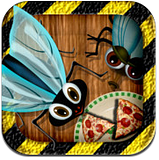
Fly Smasher: Free iPhone/iPad Game to test your swiftness


Wanna get deeply involved with a game that can make you extremely addictive and attached to it? Well the latest buzz around is the all new Fly Smasher…Just smash it!!! 


It’s a free iPhone/iPad game that evaluates the response time of the gamer. The game basically focuses on your retorting capability as to how swift your fingers can move along with your intellect. The aim is to identify a particular class of enemies, tap to kill them and gain maximum points possible. But the scoring is not that easy as you encounter another class of insects that shouldn’t be harmed at all or else will make you loose points. Now here is how the game moves.

With fly smasher, what you need to concentrate on is to protect your food from the attack of type “A” flies and avoid the killing of type “B” flies. You are given a total of 3 lives. If you miss the flies in these 3 chances, the game ends. The killing of type “B” flies reduces your life.Let’s have a quick look as to how the game has to be played.

  1. As mentioned earlier, Type A flies shouldn’t be allowed to reach the food and should be smashed by tapping on them.
  2. Type B flies shouldn’t be killed.
  3. Game starts with an offering of 3 lives and ends completely if you run out of these 3 lives.
  4. You gain points only with the killing of type A flies and loose points with the killing of type B flies.
  5. A bonus of 100 points is rewarded when you smash 10 type A flies continuously without a miss.
Get Bonus with constant Killing!!!

The game also offers you bonus points. If you kill 10 type “A” flies continuously, a bonus of 10 points is rewarded.

Enjoy the Different Modes. 

There are various playing options in this game as per the need and speed of the user. The user can select from the following options.
  1. Classic: The game remains the same with a small difference that bonus lives are provided every one  minute. Killing of B type flies decreases your life.
  2. Extreme:  Here bonus lives are provided every 2 minutes, speed of the flies also increases and       smashing the type B flies ends the entire game.
  3. Kids: A very simple mode created just to entertain the kids. Here the bonus lives are provided every 30 seconds .Speed of the flies will be minimal and killing of type B flies doesn’t decrease lives or end the game. Instead 10 points get deducted from your overall score.
  4. Adventurous: The worst case which puts a halt to all the bonus lives maximizes the speed of the flies and smashing of type B flies ends the game.
The Eliminators

The game also consists of these slayers that can be used to kill the type “A” flies. They are
  1. Strong Spray: Kills them instantly without giving much time.
  2. Mild Spray: Kills them slowly and the flies get little more time to reach the food.
  3. Electric Waves: Sends an electric shock that kills the flies.
The basic idea of the game is to check the synchronization of your fingers with your intellectual swiftness. Tapping the correct flies becomes a bit tactical job with the increase of each level. Keep your concentration level high and be on your toes to take a win over this game.